 PressLish
Mail merge and labels without Microsoft Publisher
PressLish does mail merge like Publisher did: connect an Excel or CSV list, place fields such as name and address on the page, preview each record, then print, merge to PDF or print label sheets (including Avery sizes). Its catalogue merge puts several records on each page, for product sheets, directories and price lists, and picture fields give every record its own photo.
Free for 9 days, no card needed. Windows 10 and 11; Mac version coming soon.
What you can make
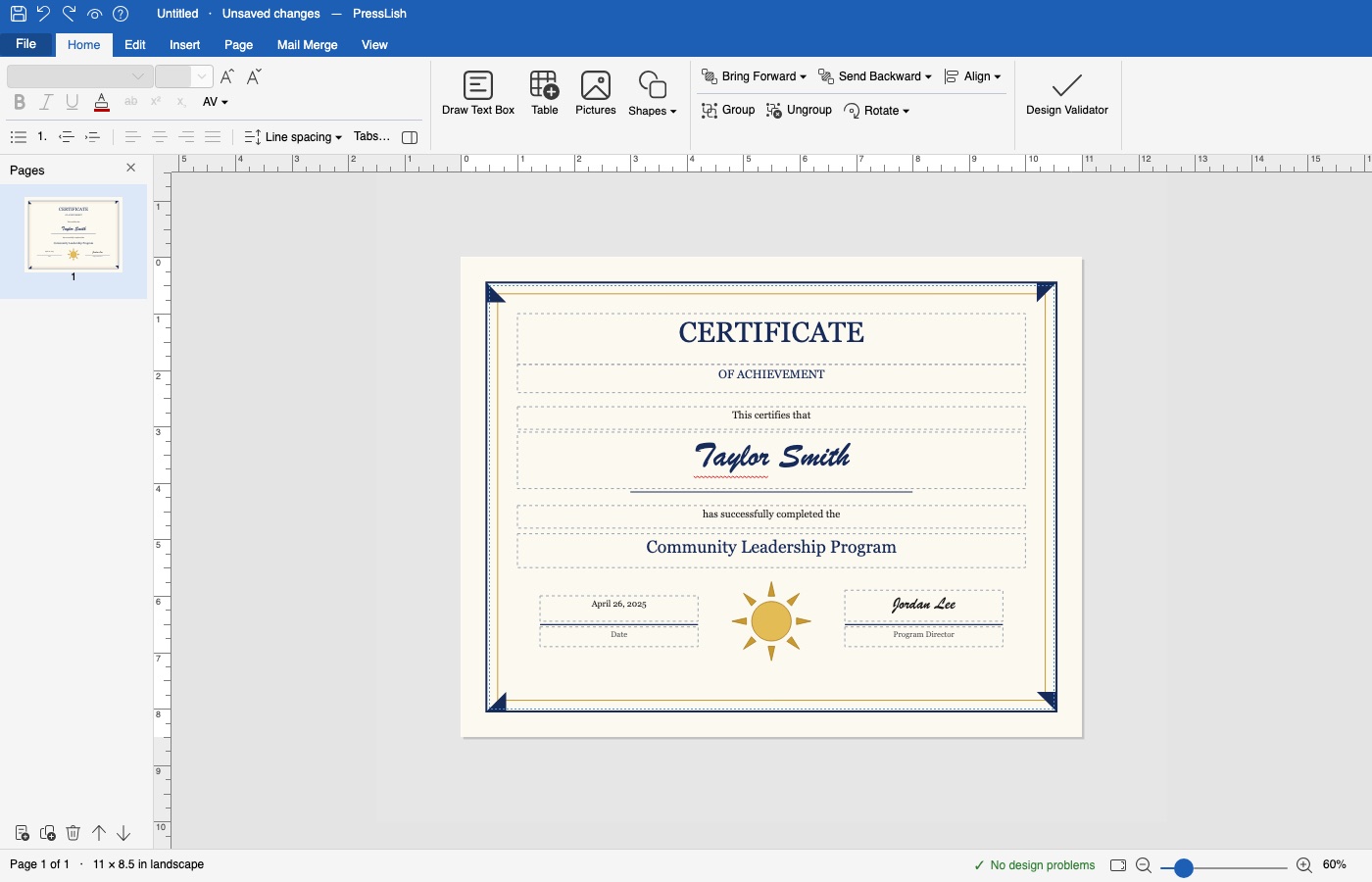
- Certificates with each person's name
- Letters and invitations
- Address labels and name badges on Avery and other label sheets
- Cards and tickets
- Product sheets, price lists and member directories (catalogue merge), with a photo for each record
How it works
- Open your publication (or start from a starter design such as Certificate).
- On the Mail Merge tab, choose your Excel or CSV list.
- Insert fields where the names and details should go.
- Preview a few records, leave out anyone you don't need, then print or merge to PDF.
Catalogue merge: several records on a page
- Choose Mail Merge → Catalogue Area and set how many records go across and down.
- Design the first cell: fields such as «Name» and «Price», and a picture field for each record's photo (its file named in a list column).
- Preview Sheet shows every page filled; print, merge to PDF, or make a new publication you can still adjust.
Questions
Can I do a mail merge without Publisher?
Yes. PressLish merges an Excel or CSV list into letters, certificates, cards and labels, and can print or save the result as PDF.
Does PressLish support catalogue merge?
Yes. Mail Merge → Catalogue Area puts several records on each page in a grid (product sheets, directories, price lists); you design the first cell and it repeats for every record.
Can each record have its own picture?
Yes. A picture field takes each record's picture file from a column of the list, by full path or a path from the list's folder.
Does PressLish print Avery labels?
Yes. Choose the label sheet and PressLish lays out the labels to print.
Free for 9 days, no card needed. Windows 10 and 11; Mac version coming soon.
More guides
- How to open a .pub file without Microsoft Publisher
- Microsoft Publisher is retiring in October 2026: what to do with your files
- A Microsoft Publisher alternative that opens your .pub files
- Convert a Publisher (.pub) file to PDF, Word or pictures
- PressLish for churches: keep your bulletins and newsletters after Publisher
- PressLish for schools: newsletters, certificates and notices after Publisher
- PressLish for clubs, community groups and families
- Microsoft Publisher alternatives compared: PressLish, Canva, Word, LibreOffice, Affinity