 PressLish
How to open a .pub file without Microsoft Publisher
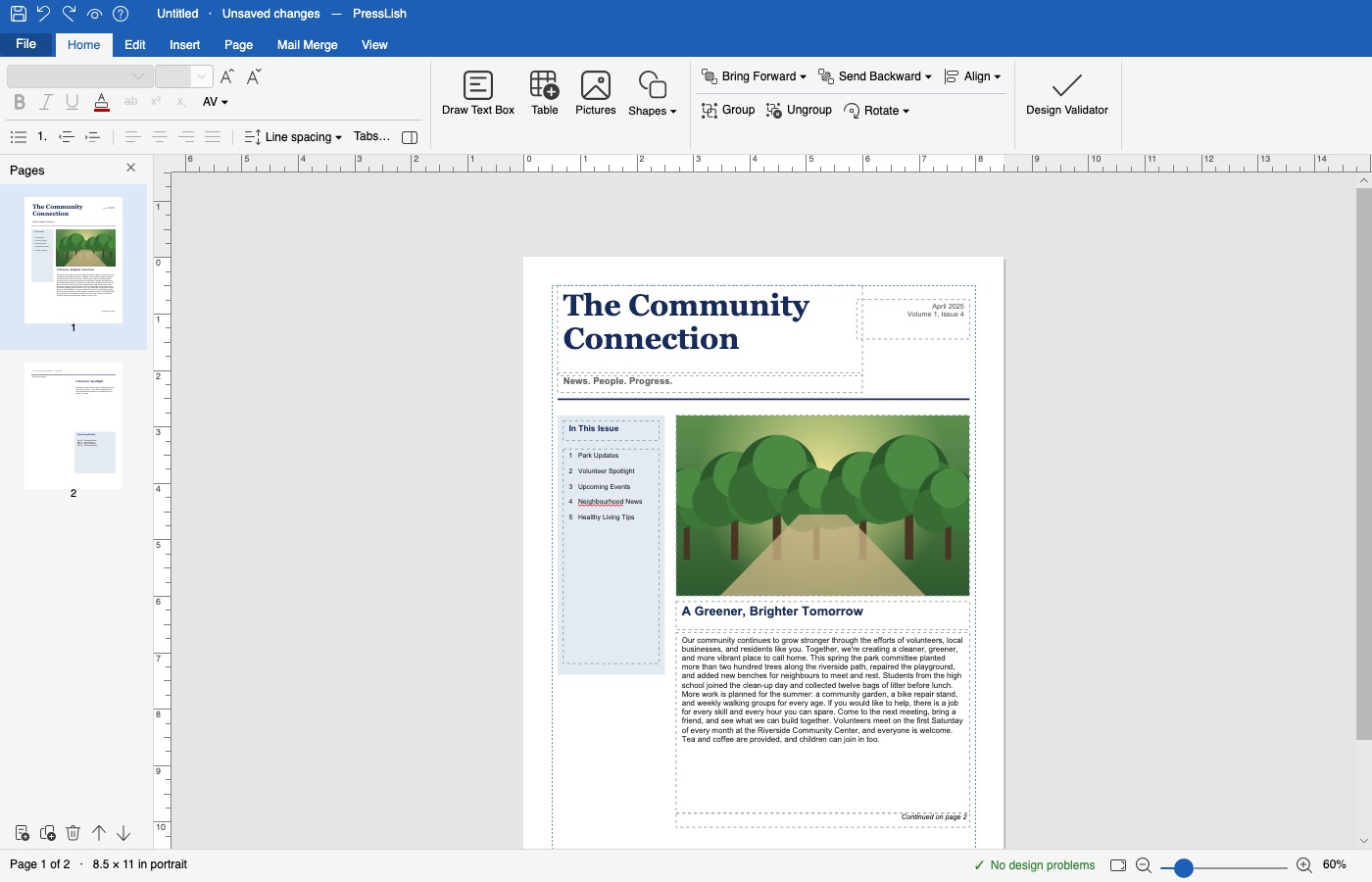
To open a .pub file without Microsoft Publisher, install PressLish, a desktop editor for Publisher files, and choose File → Open. Your publication opens with its pages, text boxes, pictures and tables in place, ready to edit, print or save as PDF. PressLish does not need Publisher or Microsoft 365, and it never changes your original file.
Free for 9 days, no card needed. Windows 10 and 11; Mac version coming soon.
Open a .pub file with PressLish
- Download PressLish. Get the installer for Windows from presslish.enricx.com/download and run it. The free trial lasts 9 days and needs no card.
- Open your file. Start PressLish and choose File → Open, then pick your .pub file. You can also drag the file onto the PressLish window.
- Edit, print or export. Change text and pictures, print it, or export it as PDF, Word, PowerPoint or PNG. Your work is saved as a separate PressLish document (.lish); the original .pub stays as it was.
Why a .pub file won't open any more
A .pub file is a Microsoft Publisher publication. Only Publisher could open it properly, and Microsoft ends Publisher in October 2026: it leaves Microsoft 365, and the versions people bought outright stop getting updates. Word, Canva and most other programs cannot open .pub files at all.
What you get with PressLish
- Your pages as they were: text boxes that flow from one to the next, pictures, tables, shapes, master pages, page numbers.
- Real editing, not just viewing: change words, swap pictures, move boxes, add pages, then save.
- Printing: print preview, booklets, labels, several pages per sheet, two-sided printing, and files for a print shop.
- Export: PDF, Word, PowerPoint and PNG for people who don't have PressLish.
- Private and offline: it runs on your computer and never uploads your documents.
Other ways, and their limits
- Keep Publisher 2016, 2019 or 2021: it still opens files on the computer it is installed on, but gets no more updates and is no longer sold.
- Online converters: turn a file into a PDF you can read but not edit, and you have to upload your document.
- LibreOffice Draw: free and opens many .pub files, but layouts often shift and it works differently from Publisher.
See the full comparison of Publisher alternatives.
Questions
Can I open a .pub file without Publisher?
Yes. PressLish opens .pub files by itself, without Publisher or any other Microsoft software, and lets you edit, print and export them.
Which Publisher versions does PressLish open?
Publications made in Publisher 2002 to 2021 open fully. Files from the oldest versions (Publisher 97 to 2000) are only partly supported.
Will my original .pub file be changed?
No. PressLish never overwrites a .pub file. Your edits are saved as a separate PressLish document next to it.
Can I open a .pub file on a Mac?
A Mac version of PressLish for Apple silicon (macOS 14 or newer) is coming soon. Today PressLish runs on Windows 10 and 11.
Is PressLish free?
The trial is free for 9 days with every feature switched on (up to 10 different files can be changed). A licence costs $60 once, for life on one computer.
Free for 9 days, no card needed. Windows 10 and 11; Mac version coming soon.
More guides
- Microsoft Publisher is retiring in October 2026: what to do with your files
- A Microsoft Publisher alternative that opens your .pub files
- Convert a Publisher (.pub) file to PDF, Word or pictures
- Mail merge and labels without Microsoft Publisher
- PressLish for churches: keep your bulletins and newsletters after Publisher
- PressLish for schools: newsletters, certificates and notices after Publisher
- PressLish for clubs, community groups and families
- Microsoft Publisher alternatives compared: PressLish, Canva, Word, LibreOffice, Affinity